
Quick Presets
Starting from today, all GT App users gain access to using Quick Preset strategies.
This allows beginner users to launch a trading strategy in just a couple of clicks without the need for configuration.
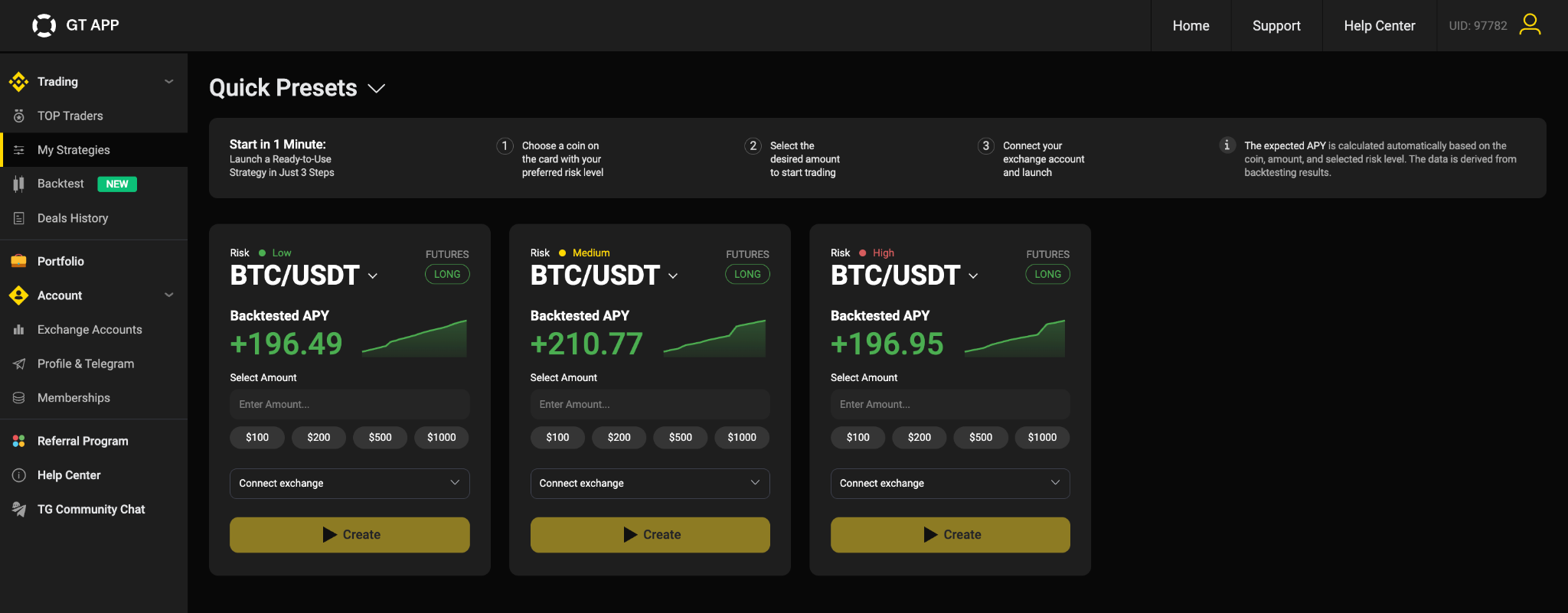
In these conditions, users are only required to connect their exchange connection to the preset strategy and have at least 100 USDT balance.
After connecting, users only need to click the “Launch” button and wait for the trade to open.
The advantage of this strategy is that it uses secure settings that minimize the risk of loss and liquidation for the user.
However, it should be noted that due to increased security measures, users on the entry-level $5 x10 plan may find it difficult to evaluate its performance within that plan’s $50 profit limit, because the strategy is designed for a longer-term entry point into the trade.
How to launch a Quick Preset strategy:
-
Open the My Strategies page in your GT App account.
-
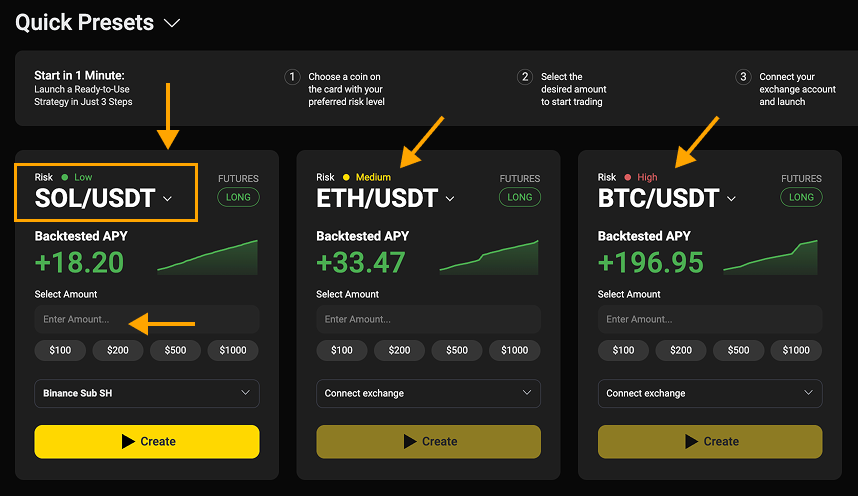
Choose one or several preset strategies (You can choose the coin and the risk/reward ratio).
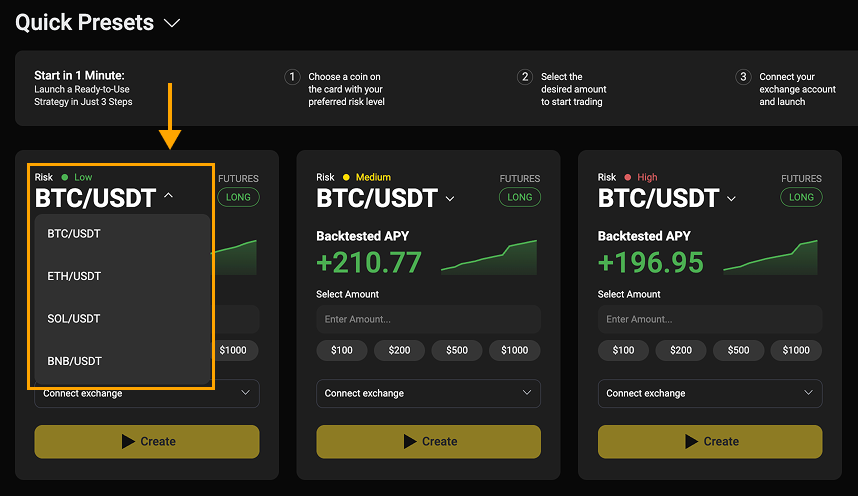
- Click on the “Connect Exchange” button on one of the preset strategies, select the necessary connection, and confirm your choice by pressing the “Create Strategy” button.
-
Make sure that the selected exchange connection has the required balance of at least 100 USDT.
-
Click the Launch button and wait for the trade to start.
-
The profit from using the preset strategy will be deposited into the connected exchange connection and further traded according to the compound interest formula to bring you even more profit.
The settings of these strategies are constantly optimized and adjusted by algorithms, and the APY indicator is recalculated in real time.
If you have questions that we have not covered in this article, please contact our support.